
Redpanda: AI Spotlight and Analyze with AI, Built Into the Site
I designed and built two AI features for redpanda.com. AI Spotlight explains any passage a reader highlights, right on the page. Analyze with AI hands the page to the reader's own AI assistant with a Redpanda-written brief, so the answer uses the right framing and cites redpanda.com.
Readers were leaving to get answers somewhere else
Redpanda's guides and blog posts are long, technical and written for several audiences at once. When readers hit a term they didn't follow, they opened a new tab and searched. When they wanted a summary, they pasted the URL into an AI assistant.
Both paths cost Redpanda the reader. A search often lands on a competitor. A bare URL gives an assistant no idea how the page fits Redpanda's product story, so it reaches for whatever sources it finds.
Answer the question where it comes up
Two features, each meeting readers at a moment they were already acting on.
AI Spotlight
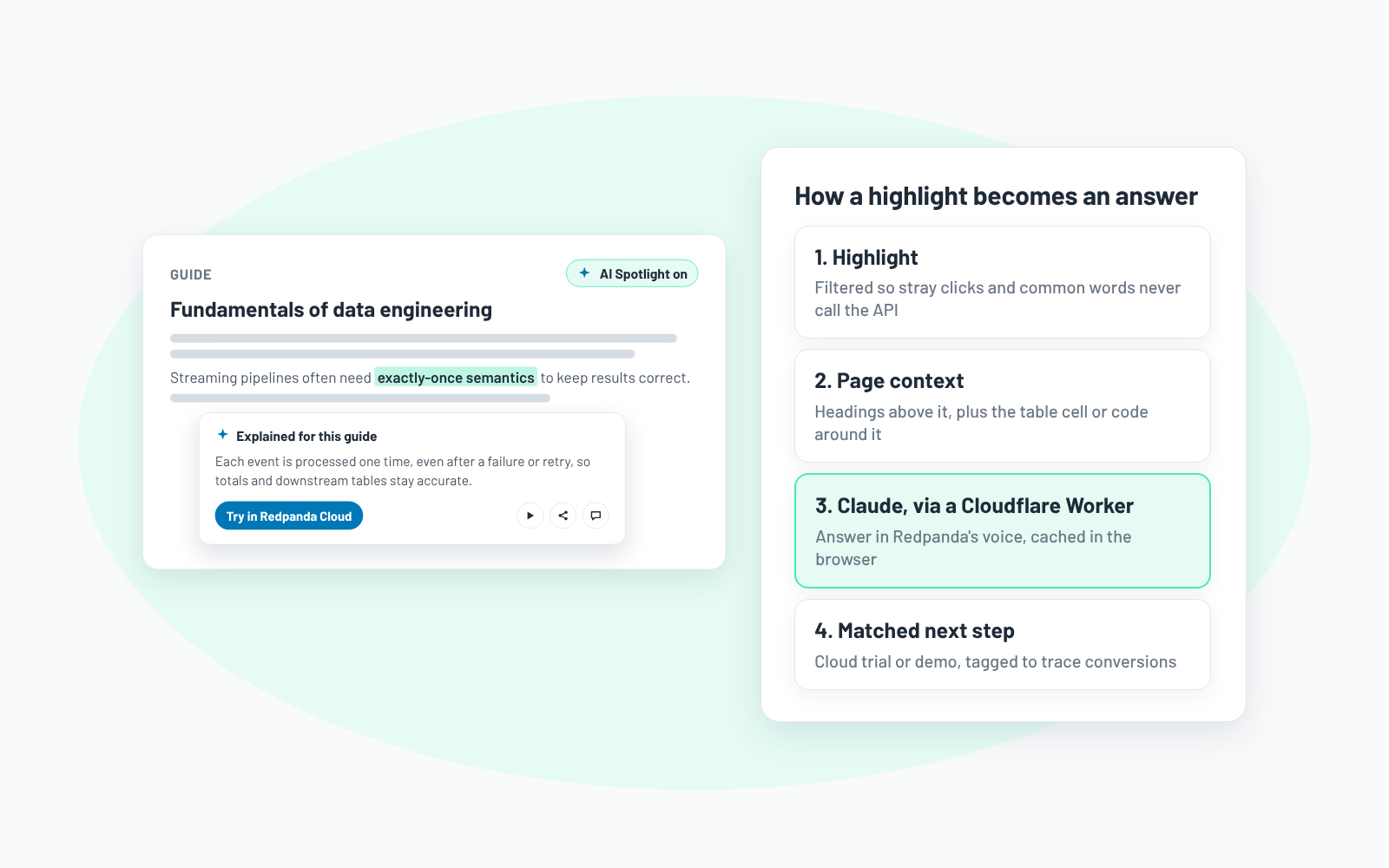
- Readers turn it on, highlight any passage, and get a plain-language explanation in a small panel right under the selection.
- The answer is grounded in the page: the headings above the selection, and whether it sits in a table, a code block or a list.
- Every answer ends with a next step that fits the content: try Redpanda Cloud, or book a demo for enterprise and BYOC topics, each tagged so conversions trace back to the feature.
- Built on a Cloudflare Worker calling Claude, with selection filtering and browser caching to keep API spend low.
- Readers can also listen to the answer, open live chat, or share the passage.
Analyze with AI
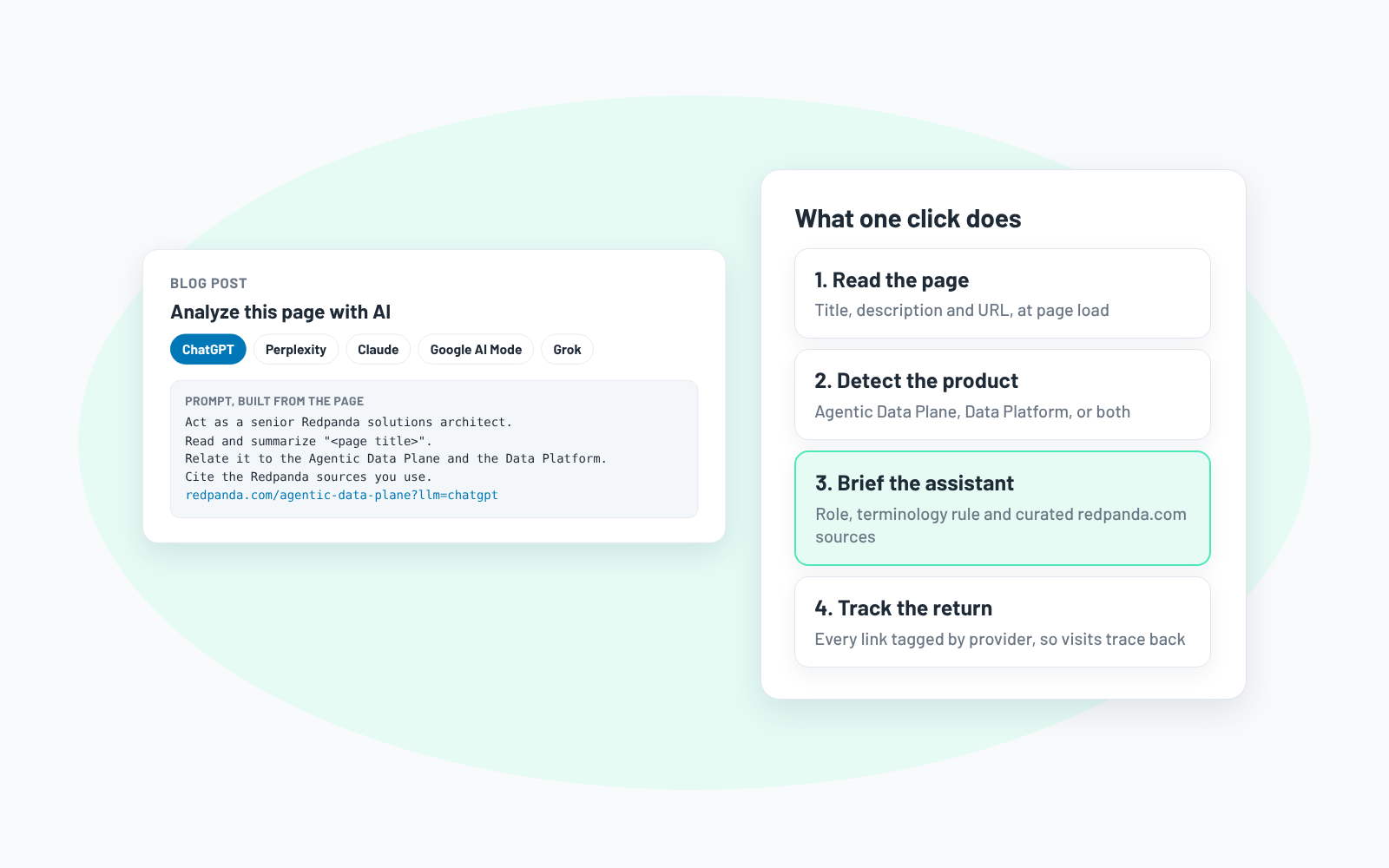
- One click opens ChatGPT, Perplexity, Claude, Google AI Mode or Grok with a prompt already written.
- The prompt is built from the page itself: it asks the assistant to act as a Redpanda solutions architect, explain the page in terms of Redpanda's two products, use the right terminology and cite a curated set of redpanda.com sources.
- Every link in the prompt carries a provider tag, so visits that come back from each assistant can be tracked by provider and by page.
- No API and no backend: a small script builds each prompt when the page loads.
Readers stay, and AI answers point back to Redpanda
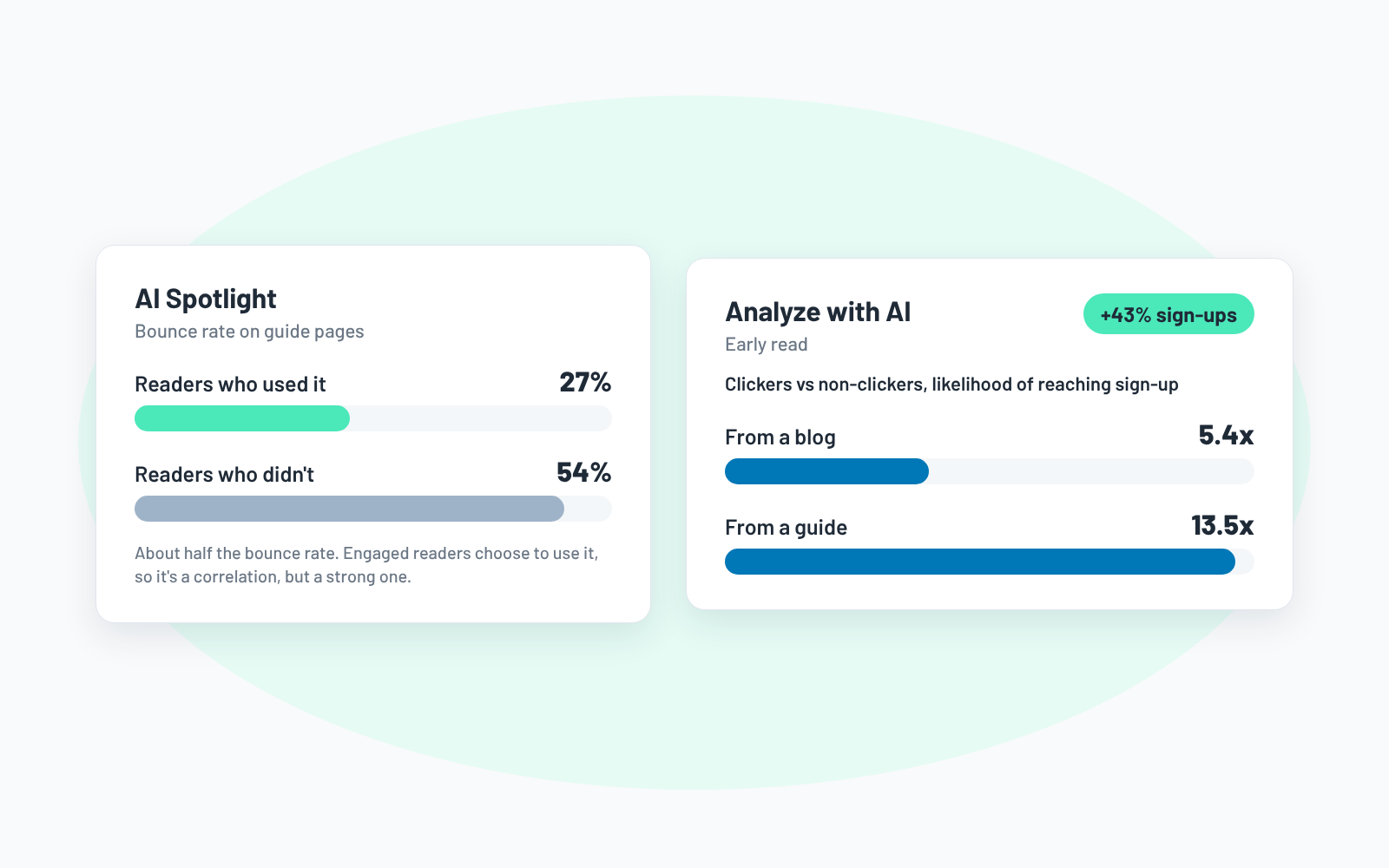


Readers who used AI Spotlight bounced at 27%, about half the 54% rate for those who didn't. Analyze with AI lifted sign-ups 43% in an early read.
The Spotlight gap is a correlation, since engaged readers choose to use it, but halving the bounce rate on the site's biggest educational pages is a strong signal. Readers who clicked Analyze with AI were 5.4x more likely to reach sign-up from a blog and 13.5x from a guide.
There's an AEO angle too. Every click puts well-structured, first-party Redpanda sources into a real conversation with an assistant. The buttons are built so a reader's own AI history starts to include Redpanda, which should make their future answers more likely to mention it.
Other Projects


